Playground Dock
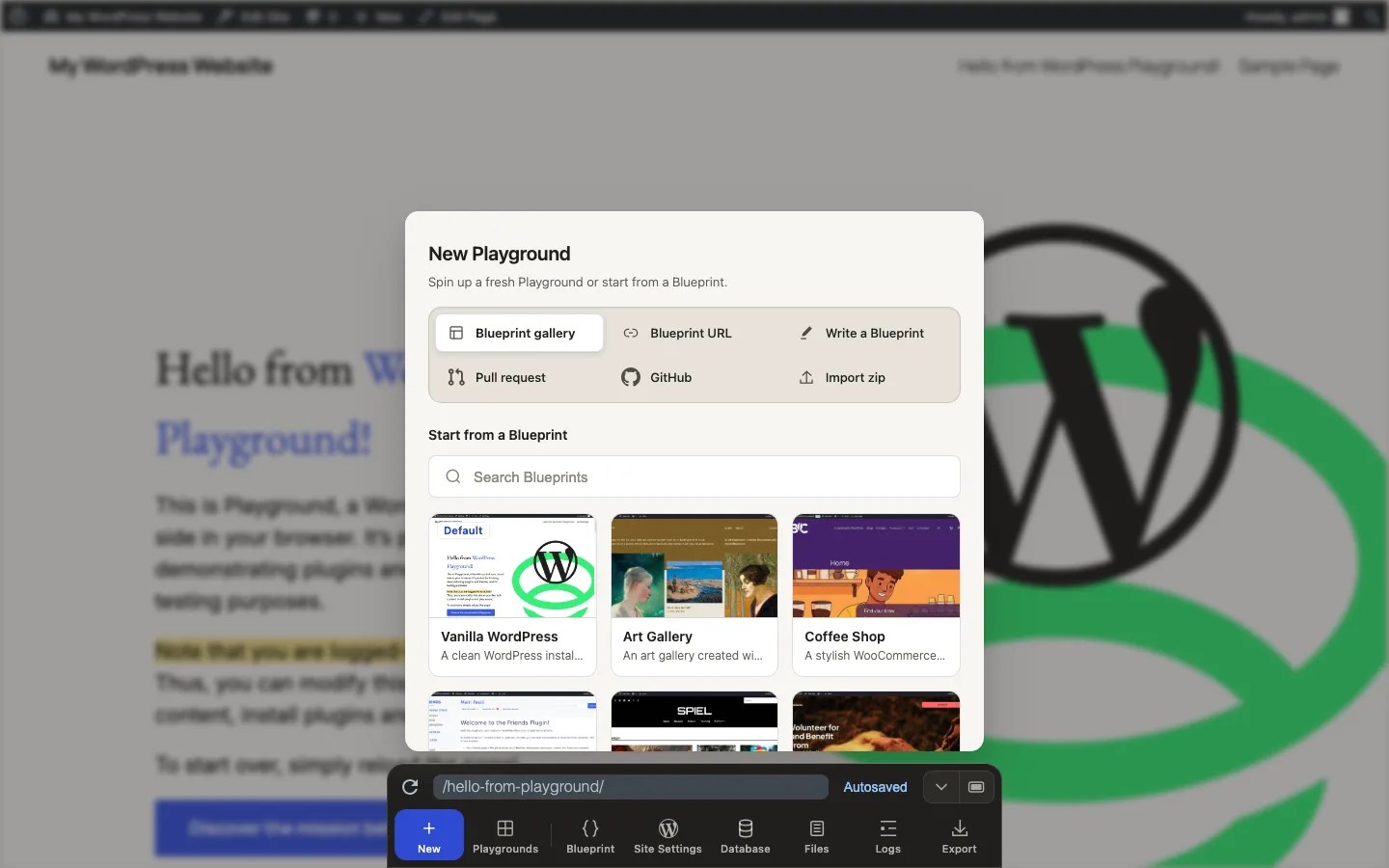
The easiest way to run a Blueprint from the website is through the Dock:
- Open New Blueprint gallery to choose an example.
- Open New Blueprint URL to run a public Blueprint JSON or ZIP bundle URL.
- Open New Write a Blueprint to write a Blueprint in the browser.
- Open Blueprint to inspect or edit the current Playground’s Blueprint.
See Using Blueprints for the full list of UI paths.
URL fragment
For links and automation, you can paste a Blueprint into the URL “fragment” of a WordPress Playground website. Just add a # after the .net/.
Let’s say you want to create a Playground with specific versions of WordPress and PHP using the following Blueprint:
{
    "$schema": "https://playground.wordpress.net/blueprint-schema.json",
    "preferredVersions": {
        "php": "8.3",
        "wp": "5.9"
    }
}
To run it, go to https://playground.wordpress.net/#{"preferredVersions": {"php":"8.3", "wp":"5.9"}}. You can also use the button below:
Use this method to run the example code in the next chapter, Build your first Blueprint.
Encoded Blueprint fragments
When you build a Playground link from JavaScript or an automation tool, encode the Blueprint JSON once with encodeURIComponent(JSON.stringify(blueprint)) and append it after #.
Playground also supports Base64-encoded Blueprints, which are useful when a platform modifies JSON fragments or when you want a compact, copyable link. For example, that’s the above Blueprint in Base64 format: eyJwcmVmZXJyZWRWZXJzaW9ucyI6IHsicGhwIjoiNy40IiwgIndwIjoiNS45In19.
To run it, go to https://playground.wordpress.net/#eyJwcmVmZXJyZWRWZXJzaW9ucyI6IHsicGhwIjoiNy40IiwgIndwIjoiNS45In19
Load Blueprint from a URL
When your Blueprint gets too wieldy, you can load it via the ?blueprint-url query parameter in the URL, like this:
Note that the Blueprint must be publicly accessible and served with the correct Access-Control-Allow-Origin header:
Access-Control-Allow-Origin: *