
Customize Playground
The Dock includes these destinations:- New: Start from the Blueprint gallery, a public Blueprint URL, a new
Blueprint, a pull request preview, a GitHub repository, or an imported
.zipfile. - Playgrounds: Switch between recent and saved Playgrounds.
- Blueprint: View, edit, export, and run the current Blueprint.
- Site Settings: Configure WordPress version, PHP version, language, networking, and multisite.
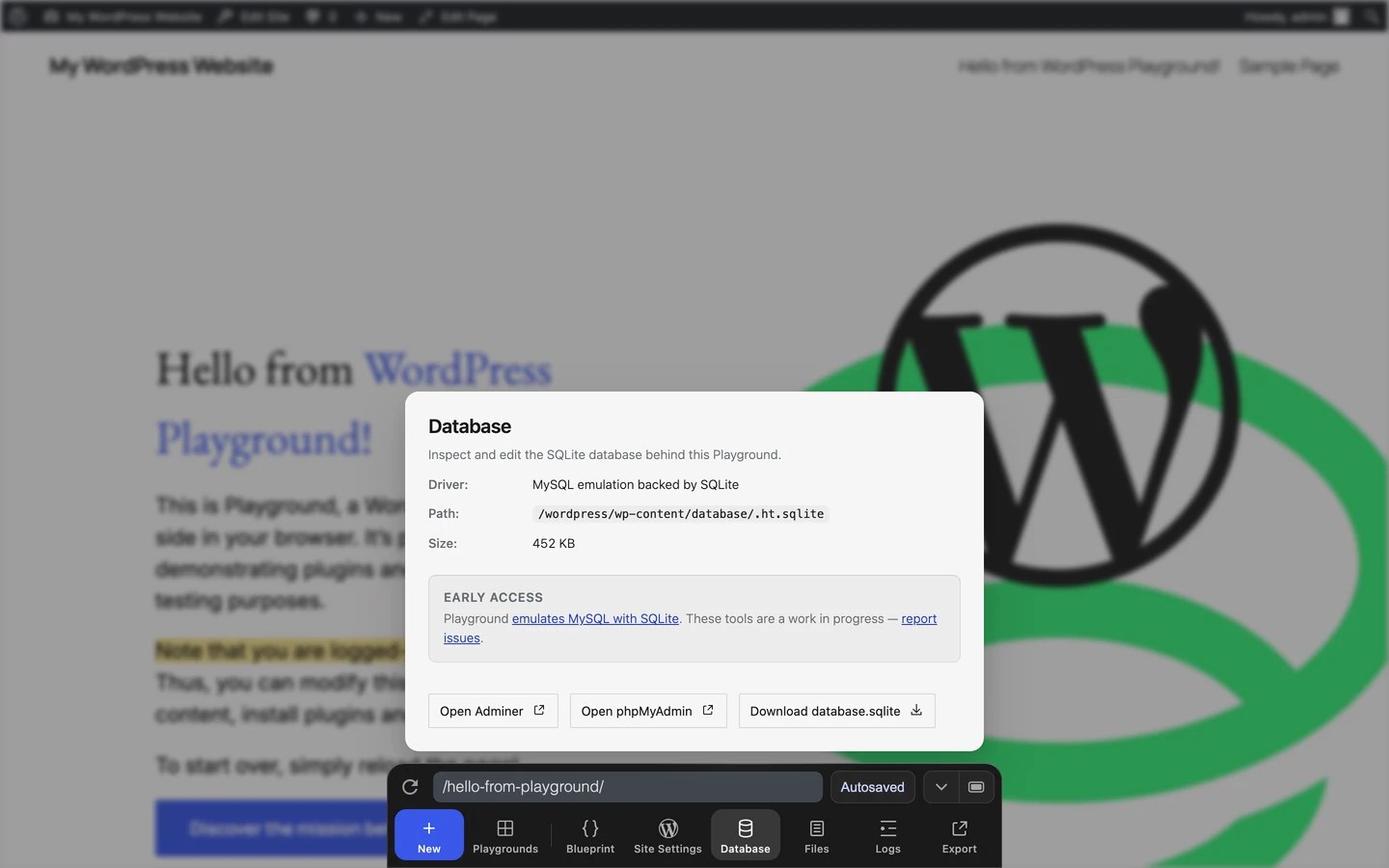
- Database: Inspect or download the SQLite database and open database tools.
- Files: Browse and edit files in the WordPress filesystem.
- Logs: Inspect PHP errors, warnings, and notices.
- Export: Download a
.zip, copy the original setup link, or export selected files to a GitHub pull request.
Navigate inside WordPress
Use the Dock address field to open a path inside the current WordPress site. For example, enter/wp-admin/ to open the dashboard or
/wp-admin/plugins.php to open the Plugins screen. Refresh page reloads
the current WordPress path.
You can also use the Query Params API to open Playground with a specific setup, such as a WordPress version, PHP version, plugin, theme, or Blueprint.
Understand the save status
The status next to the address field tells you how the current Playground is stored:- Autosaved means the Playground is stored in this browser and can be recovered from Your Playgrounds. Playground keeps up to five recent autosaves.
- Saved means the Playground was stored permanently in browser storage or saved to a local directory.
- Unsaved means the Playground has not been saved. Temporary Playgrounds, including
?storage=temp, are lost when the tab is closed or refreshed.

Start a Playground
Open New Playground from the Dock by clicking New. The pane contains Blueprint gallery, From a URL, Write a Blueprint, Preview a PR, From GitHub, and Import zip.

Return to recent and saved Playgrounds
Open Your Playgrounds from the Dock by clicking Playgrounds. It lists the current Playground, recent autosaves, and Playgrounds you saved permanently.
Change site settings
Open Site Settings to change runtime and WordPress setup options.
Inspect the current Blueprint
Open Blueprint to view and edit the Blueprint for the current Playground.
Inspect files, database, and logs
Open Files to browse and edit the current Playground files.

Export and share
Open Export to download or share the current Playground.
Change the Dock layout
The Dock can be shown as a floating panel or full-width bar. Use Full width to switch layouts.| Floating | Full width |
|---|---|
 |
 |


The site at https://playground.wordpress.net is there to support the community, but there are no guarantees it will continue to work if the traffic grows significantly.
If you need certain availability, you should host your own WordPress Playground.